
Webex Intune
Cisco Systems, Inc.Business
3.917.00 Reviews
- Version
- 46.8.0.116
- Installs
- 100.00K
- Age Rating
- Everyone
Screenshots
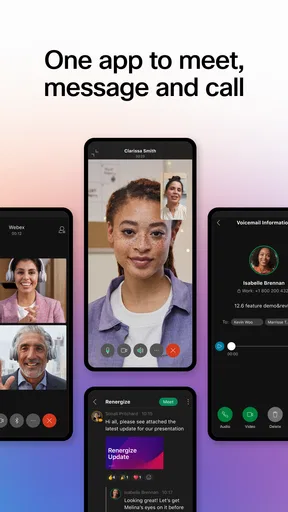


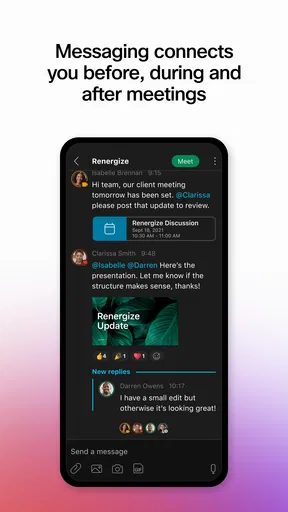

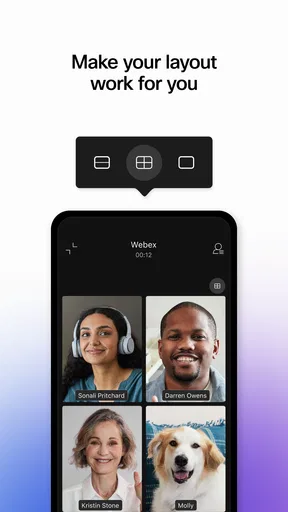
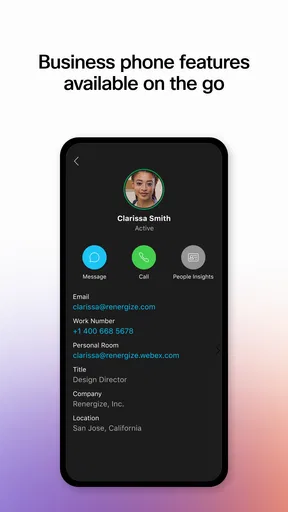
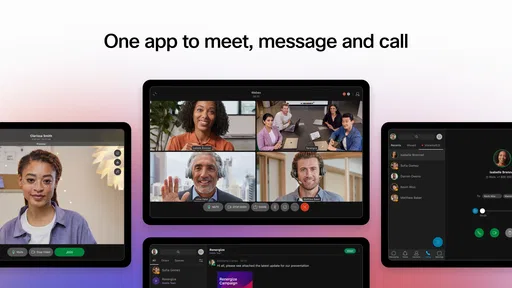
Our Review of Webex Intune
 Analysis by Appyee
Webex Intune is a business communication app from Cisco Systems, Inc. that makes the most sense when an organization already manages mobile devices through Microsoft Intune and wants a controlled way to use Webex on them. I found it less interesting as a casual download and much more useful as part of a workplace setup, where security, account management, and consistent access matter as much as messaging or meetings.
My overall view is positive but specific: this is a practical tool for employees whose company has prepared Webex Intune properly, while it is a poor choice for someone simply looking for a general-purpose chat or video-calling app. The name itself is an important clue. This is not just the ordinary Webex experience placed on a phone; it is aimed at managed business environments.
What Webex Intune is really designed to do
The app belongs to the business category and is free to download. It carries an Everyone age rating, which makes the app itself broadly accessible, although the usefulness of the service depends on having the right work account and organization setup. Cisco Systems, Inc. released it on July 14, 2020, and the current version is 46.8.0.116, running on devices with iOS 11 or newer.
That technical detail matters because Webex Intune is best understood as a bridge between employee communication and company device administration. Microsoft Intune is commonly used by organizations to manage work apps and information on phones and tablets. In that context, the app gives an IT department a more suitable way to distribute and control Webex than asking every employee to install an unmanaged version independently.
I would not judge it by the same standards as a consumer messenger. A consumer app usually tries to make sign-up immediate, contacts easy to find, and personal use effortless. Webex Intune starts from a different assumption: the user is joining an existing workplace environment. That can make the first run feel more formal, but it also explains why the app can fit companies that need a clearer boundary between personal and professional activity.
Its store summary describes it as a secure, all-in-one team collaboration app, while the short description identifies it as Webex Intune. In practice, the important word is “Intune.” If your employer has not told you that this is the approved Webex app for your managed device, installing it may not solve anything. The right starting point is to confirm which Webex application your organization supports and how it expects you to sign in.
The strongest part is the managed-workflow approach
My favorite aspect of Webex Intune is not a flashy feature. It is the way the app fits into a larger workplace workflow. When a business manages mobile access centrally, employees can work from a phone without treating that phone as an unmanaged doorway into company conversations. That distinction is valuable for people who answer messages while traveling, check meeting details away from a desk, or need to stay reachable during a day split between office and remote work.
A realistic example would be a project coordinator leaving the office for a client visit. Before heading out, the coordinator checks a Webex conversation, joins a scheduled meeting from the managed phone, and responds to a teammate without moving work files into a personal messaging app. The benefit is not simply convenience. It is keeping the communication inside the channel the company has selected and administered.
This setup can also reduce confusion for employees who use several devices. Instead of inventing a personal workaround when a laptop is unavailable, a worker can use the approved mobile route. That is particularly useful for short, time-sensitive actions: confirming an agenda, checking a team message, replying to an urgent question, or joining a conversation already in progress.
There is a subtle trade-off here. The same management that gives an organization more control can make the experience feel less personal. You are not choosing the app in isolation; your employer’s policies, account configuration, and support process shape what happens after installation. For a business, that is usually the point. For an individual user, it can feel like extra friction.
Why the Intune connection matters to employees
Many users will not notice the value of mobile application management until something goes wrong. A managed app can be part of a company’s effort to keep work information within approved boundaries. That does not mean every user will see a special screen or a dramatic security feature. The practical value is often quieter: the organization can define how work access is delivered and supported instead of leaving each employee to choose an unrelated installation.
For an employee, the best tip is to treat the installation as part of onboarding rather than as an ordinary app download. Have the company sign-in details ready, know whether your organization requires a separate management profile, and follow the internal instructions in the order provided. If you install the app first and only later discover that your workplace uses a different Webex configuration, you may spend time troubleshooting a problem that is really an account or enrollment issue.
Another useful habit is to keep personal and work conversations deliberately separate. Even when the phone is yours, using the managed business app for work discussions makes it easier to understand which account is active and which communication channel your organization expects. I would also avoid assuming that the presence of the app means every Webex function is available to every employee. The company’s account and administration choices remain important.
This is where Webex Intune has a strength that ordinary alternatives may not match as neatly. A regular Webex installation can be perfectly suitable for many users, but the Intune-oriented version speaks to companies that want mobile collaboration to sit within a managed environment. A consumer messenger may feel faster for informal groups, yet it is a weaker fit when the organization needs a consistent work identity and a supported deployment path.
Everyday collaboration without making the phone the office
I liked the possibility of using the app for focused work rather than treating it as a permanent stream of notifications. On a busy day, a phone-based collaboration app can either help or become another source of interruption. Webex Intune works best when I use it for defined tasks: checking a team exchange before a meeting, answering a direct work question, or joining a conversation that cannot wait until I return to a computer.
That approach also highlights a limitation. A mobile collaboration app is not automatically a replacement for a larger desktop workspace. Long discussions, detailed document work, and complicated meeting preparation are generally easier on a larger screen. I would use the phone version as a companion for mobility, not as my only work environment unless my role is mostly communication and short responses.
People who move between locations may appreciate that flexibility. A field supervisor, traveling consultant, or employee working from several sites can remain connected without carrying a laptop for every small update. But someone who rarely needs mobile access may gain little from installing a specialized managed app. In that case, the organization’s standard desktop Webex experience may be enough.
Where the experience can become frustrating
The biggest weakness is the dependence on organizational setup. If sign-in fails, a meeting does not appear as expected, or access is blocked, the app may not be the real cause. The problem could be the account, device enrollment, company policy, or the way the organization has deployed Webex. That makes troubleshooting less immediate than with a personal app where the user controls nearly everything.
This dependency also affects expectations. A person downloading Webex Intune without workplace instructions may wonder why the app does not feel like a simple open collaboration service. The answer is that it was not built around that scenario. Its value comes from fitting into managed access, so an unmanaged user is likely to experience more uncertainty than benefit.
I also think the name creates a discoverability problem. Someone searching for Webex may see several related choices and select the wrong one for their situation. The safest approach is to follow the exact app guidance from the employer rather than relying on the icon or a quick search result. This is a small step, but it prevents a surprisingly common kind of setup frustration.
Another trade-off is that security-oriented workplace controls can reduce spontaneity. A personal chat app lets a small group start communicating immediately. A managed business app may require the correct account, approved device state, or company support. That extra structure is worthwhile for organizations with clear requirements, but it is unnecessary overhead for a family group, a casual club, or a tiny team that only needs informal messaging.
I would also be careful about assuming that “secure” means “effortless.” Protection and administration often introduce steps that users notice. The app’s strongest business quality may therefore be invisible when everything is configured correctly, while its limitations become obvious during onboarding or when a device changes. That is not a reason to reject it, but it is a reason to set realistic expectations.
How it compares with ordinary alternatives
Compared with a standard Webex app, Webex Intune is the more relevant choice when a company specifically uses Microsoft Intune to manage mobile work access. The ordinary version may be the simpler route for personal use or for an organization that does not require this managed deployment model. I would not choose between them based only on which name sounds newer; I would choose based on the company’s device and account instructions.
Compared with consumer messaging services, Webex Intune is less appealing for informal communication but more appropriate for a structured workplace. Consumer tools often win on immediacy and familiarity. Webex Intune wins when the organization wants employees to use an approved business channel on managed devices. The trade-off is clear: convenience for the individual versus consistency and control for the organization.
Compared with a general team-collaboration platform, its advantage depends on whether Webex is already part of the company’s communication habits. Switching platforms just to use a mobile app rarely makes sense. If colleagues, meetings, and internal processes already revolve around Webex, the Intune version can complete that workflow on mobile. If the team uses another platform successfully, adding this app would probably create more duplication than value.
One non-obvious point is that the app should be evaluated at two levels. First, ask whether Webex suits the team’s communication style. Second, ask whether the Intune-managed version suits the organization’s device policy. A “yes” to only one of those questions is not enough. The app can be technically appropriate yet practically useless if the company does not support the required setup.
Who should install it, and who should skip it
I would recommend Webex Intune to employees whose IT department has named it as the approved mobile Webex application. It is also a sensible fit for businesses that want staff to collaborate from phones while keeping the deployment connected to Microsoft Intune. Mobile workers, managers who need quick access between appointments, and teams already committed to Webex are the clearest audience.
It is less suitable for someone who wants a private chat app, a casual video-calling tool, or a collaboration service that can be used immediately without an employer-managed account. Students, families, independent hobby groups, and very small informal teams should look at simpler alternatives unless they have a specific reason to use Webex through Intune.
I would also skip it as a personal experiment if you do not know whether your device or account is supported by your workplace. Installing a business-managed app without understanding the organization’s process can lead to confusion rather than discovery. Ask the internal support contact first; in this case, that is more useful than relying on general app advice.
For administrators and team leads, the decision is slightly different. The question is not whether the app looks attractive in a store, but whether it gives employees a reliable mobile path that matches existing management practices. A controlled rollout, clear sign-in instructions, and a simple explanation of when to use the app would matter as much as the application itself.
What the public response suggests
Webex Intune has an average rating of 3.9 from around five hundred ratings, with more than a dozen written reviews and over one hundred thousand installs. I see that as a moderate sign of real-world use rather than proof that the app will suit everyone. The rating suggests a service that works well for some supported users while leaving room for frustration, especially around setup and organization-specific behavior.
I would not read the rating like a consumer entertainment score. A business app can receive criticism because of account policies, enrollment requirements, or workplace configuration even when its core purpose is sound. Conversely, a good score does not guarantee that it will work for a user whose employer has not prepared the necessary environment.
The free price is helpful for employees who need the app, since the main decision is not whether to buy it but whether it belongs in their company’s approved workflow. Still, “free” does not remove the practical requirement for an appropriate work account and organization support. That distinction is worth understanding before installation.
My verdict after looking at the whole experience
Webex Intune is a specialized business tool, not a universal collaboration download. Its strongest case is a managed workplace where Cisco Webex is already used and Microsoft Intune is part of the mobile administration process. In that setting, it can make phone-based work access feel more deliberate and easier for the organization to support.
My recommendation is therefore conditional but confident. If your employer specifically directs you to use it, install it and follow the company’s setup instructions rather than comparing it with casual chat apps. If you are choosing an app for personal communication or starting a new informal group, this is probably more structure than you need.
The app’s value is found in the connection between collaboration and management. That makes it less immediately friendly than a consumer alternative, but potentially more appropriate for professional use. I would give it a try for a supported work account, especially when mobile access is important. I would not choose it simply because it is free or because it carries the Webex name.
In short, Webex Intune earns its place when the surrounding workplace system is ready for it. Used in that context, it is a sensible way to keep team communication available on a managed mobile device. Outside that context, the extra setup and limited personal appeal make a simpler, more direct alternative the better choice.
Verdict
Strengths of Webex Intune
- Strong enterprise security and compliance controls
- Reliable video and audio quality on stable networks
- Seamless integration with Microsoft Intune management
- Supports secure team messaging and file sharing
- Useful collaboration tools for distributed workplaces
Limitations of Webex Intune
- Requires an eligible Webex and Intune business account
- Some features may be restricted by company policies
- Can consume significant battery during long meetings
- Advanced administration may require IT support
- User experience depends on organizational Webex configuration
Other Releases by Cisco Systems, Inc.
View All

Similar Picks in This Category
View All
LinkedIn: Community & Network
LinkedIn3.8

Zoom Workplace
zoom.com4.1

Microsoft Teams
Microsoft Corporation4.6

Meta Business Suite
Meta Platforms, Inc.4.6

Webex Meetings
Cisco Systems, Inc.4.5

TeamViewer Remote Control
TeamViewer4.4
Frequently Asked Questions
What is Webex Intune, and who is it designed for?
Webex Intune is the managed version of the Webex mobile app intended for organizations that use Microsoft Intune to control access to business applications and data. It provides familiar Webex features such as messaging, meetings, calling, and file collaboration, while allowing an employer or school to apply security policies. It is mainly useful for users whose organization requires a managed app rather than the standard public Webex download.
Do I need a Webex account or an organization invitation to use Webex Intune?
Yes, in most cases you need an active Webex account provided or approved by your organization. Webex Intune is not generally a standalone communication service for personal use. Your company or educational institution may require you to sign in with corporate credentials, complete multi-factor authentication, or enroll your device in Microsoft Intune before access is granted. If you cannot sign in, contact your organization’s IT administrator.
What permissions and device management requirements does Webex Intune have?
The permissions required depend on the Webex features you use and the policies configured by your administrator. The app may request access to the microphone, camera, notifications, contacts, calendar, photos, or files for meetings and collaboration. Microsoft Intune can also enforce security requirements such as a screen lock, encryption, app protection, copy-and-paste restrictions, or remote removal of work data. These controls are set by your organization, not by the app alone.
Is Webex Intune different from the regular Webex app?
Webex Intune is built for deployment and management through Microsoft Intune, so it may look and function similarly to the regular Webex mobile app while offering additional enterprise security controls. Depending on your organization’s configuration, some features may be restricted, and work data may be separated from personal information. Installing the standard Webex app may not satisfy company security requirements, so use the version and installation instructions supplied by your administrator.
Is Webex Intune free, and what should I check before downloading it?
The application itself may be available to download without a direct purchase, but access to Webex services usually depends on a paid or organizational Webex plan. Before downloading, confirm that your employer or school supports Webex Intune, that your device meets the required Android or iOS version, and that Microsoft Intune enrollment is complete if required. Also review your organization’s privacy and data policies, because administrators may manage business data and app access remotely.
